
Allow, Review, Reject? Recommended Actions.
Stop treating every flag the same. Action Recommendations combine trust levels, severity scores, and policy signals to tell you when to allow, review, or reject content.

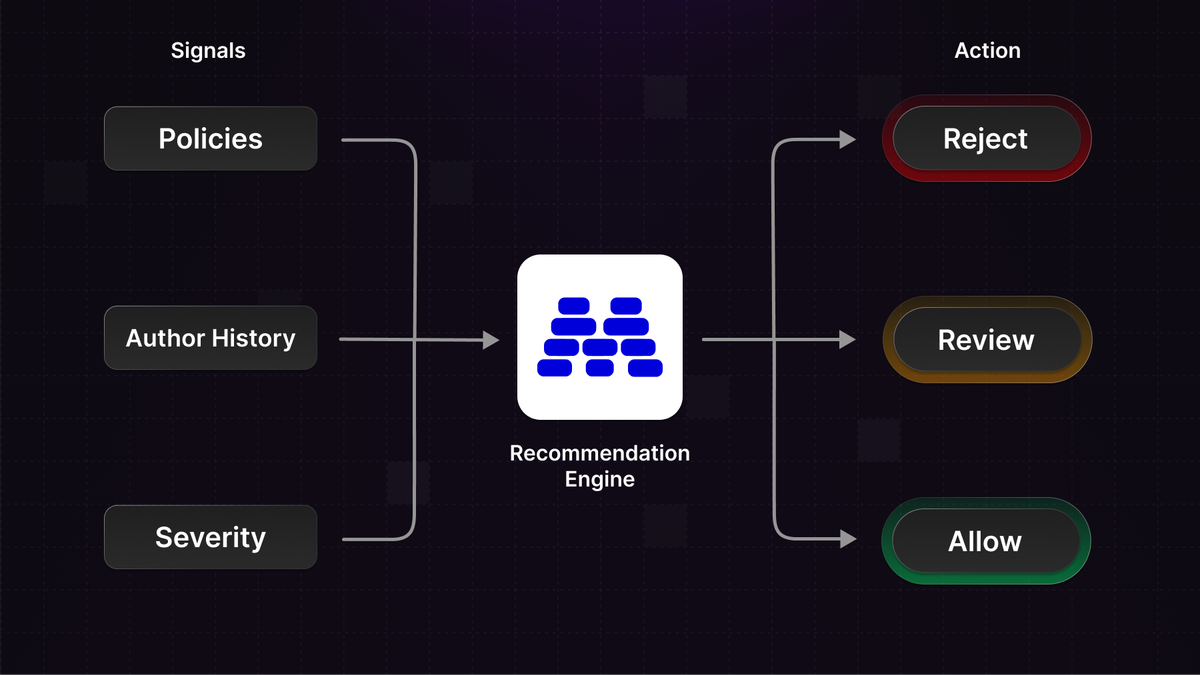
The simplest form of content moderation blocks content whenever it's flagged.
The reality is more nuanced.
How certain is the flag?
How many policies were violated?
What's the history of the user posting it?
All these signals should factor into your moderation decisions.
Today we're launching Action Recommendations to help you decide when to allow, reject, or review content.
What this unlocks
- Treat a borderline comment from a trusted 3-year user differently than the same comment from a brand new account
- Auto-reject high-severity violations while routing edge cases to human review
- Let low-confidence flags pass through while still logging them for monitoring
- Stop drowning your review queue in obvious false positives
How it works
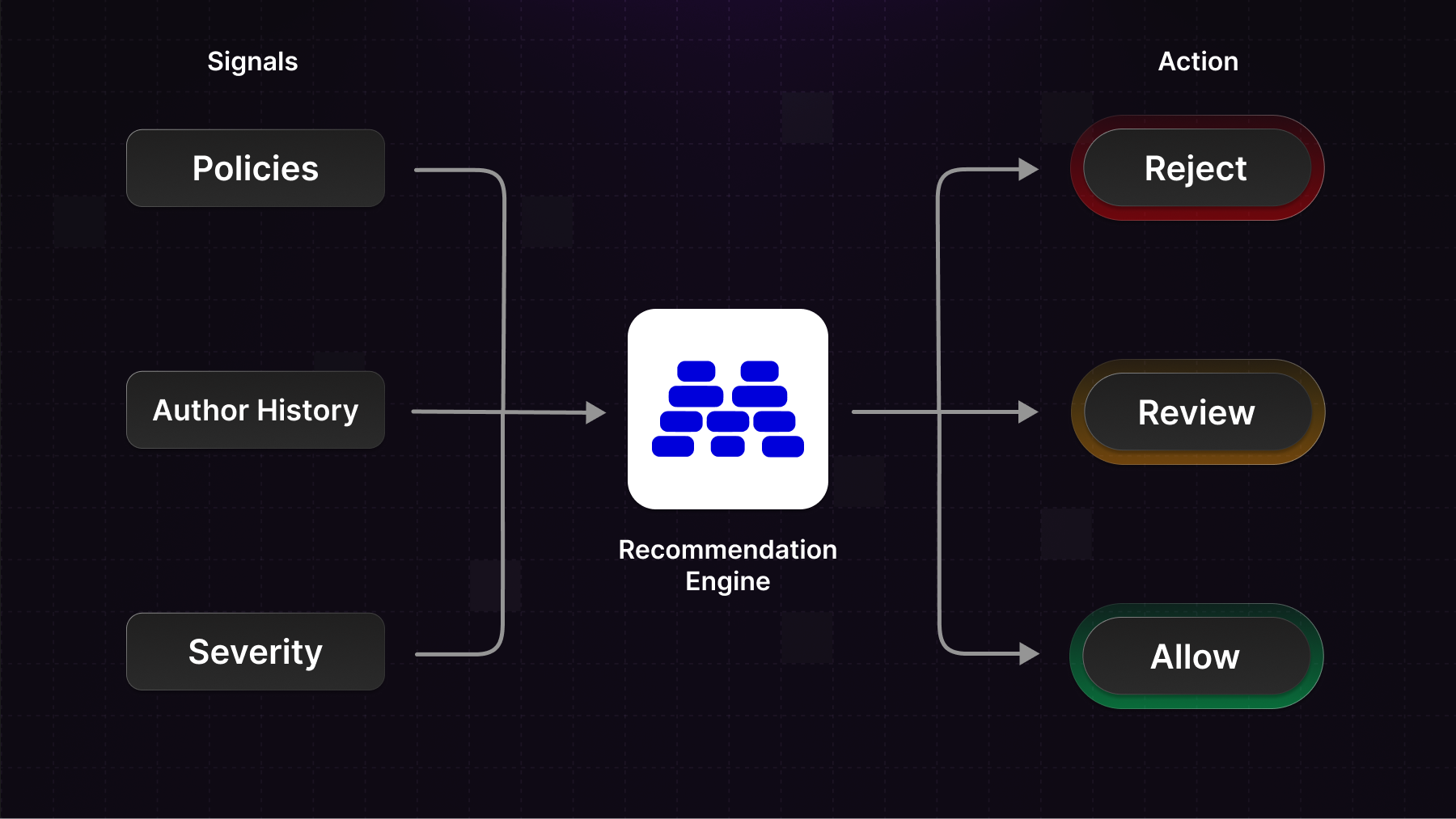
Action Recommendations run at the end of the moderation pipeline, taking all previous signals into account:
- The trust level of the author
- Whether the author is blocked or suspended
- The severity score of the content
- Which of your policies were flagged
These signals combine into a single recommended action:
- Allow – No inherent risk. The content can be posted.
- Reject – Block the content from being posted.
- Review – Flag for human review before making a final decision.
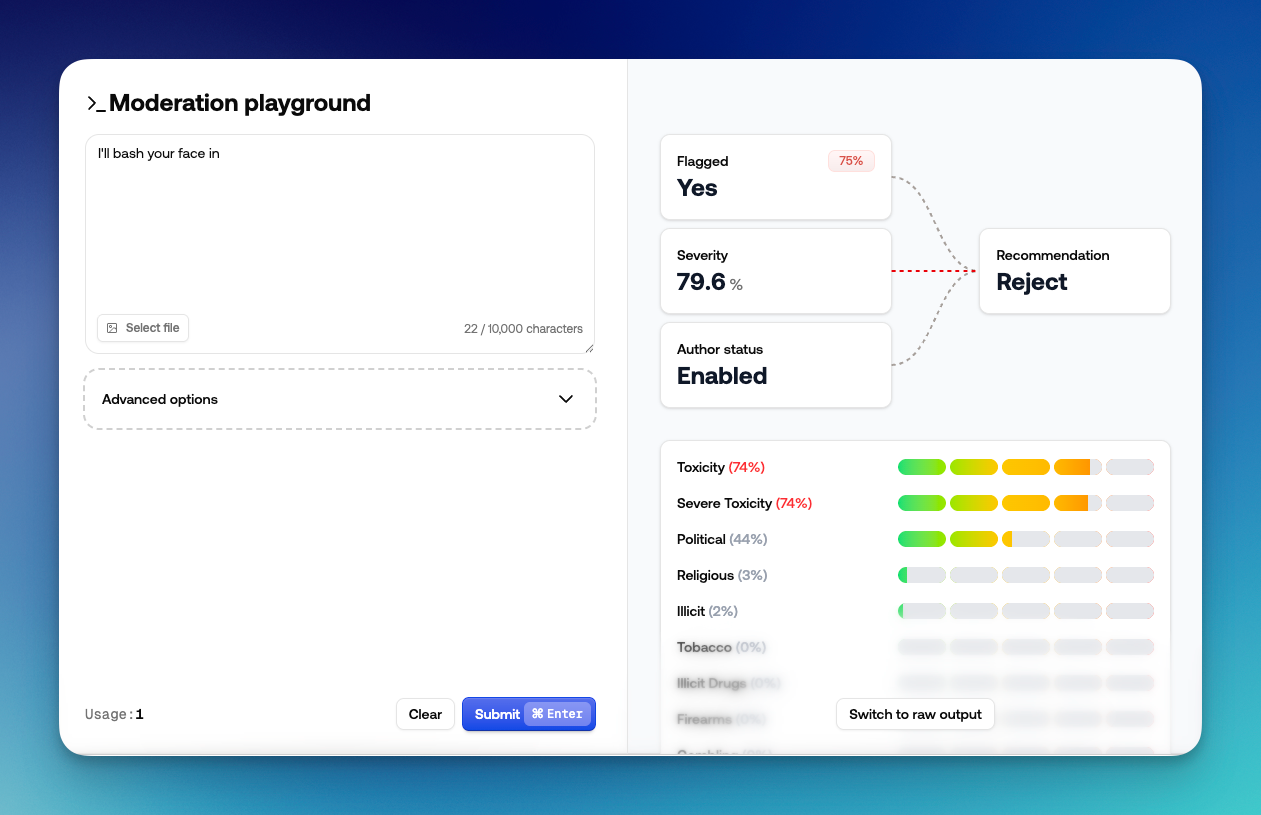
You can inspect reason_codes in the API response to see which signals contributed to the recommendation.
In the dashboard, the playground visualizes what influenced each decision.
Customizing recommendations
You have full control over the thresholds that drive recommendations.
Severity thresholds let you define when content gets rejected vs. reviewed vs. allowed. For example: reject if severity is above 80%, review if above 50%, otherwise allow.
Per-policy overrides let you specify that certain policies should always reject or always trigger review when flagged - regardless of severity.
Adjusting the severity threshold for review/rejecting
Getting started
All our SDKs include the recommendation in the response. Here's how to access it:
const result = await moderationApi.content.submit({
  content: {
    type: "text",
    text: content,
  },
  authorId: authorId, // optional
  conversationId: conversationId // optional
});

if (result.recommendation.acti === 'reject') {
  // Block the content
} else if (result.recommendation === 'review') {
  // Queue for human review
} else {
  // Allow the content
}
A key decision: how do you want to handle review recommendations? Two common approaches:
- Pre-publication review - Content waits in a queue until a human approves it
- Post-publication review - Content goes live immediately but gets queued for review, and removed if it violates policies
You can set up review queues filtered by the recommended action, so your team sees exactly what needs attention.
Setting up a queue for reviewing content
Tuning over time
After running for a while, you'll have data on how your thresholds perform. You might find you're reviewing too much low-risk content, or letting some borderline cases through. Adjust your severity thresholds accordingly.
As you build confidence in your policies, you can tighten the review band or even disable reviews entirely for certain policy categories you trust.
Action Recommendations are available now. Check out the documentation to get started, or jump into the dashboard to configure your thresholds.